
In a global infrastructure, friction is the enemy of conversion. If a user from Paris visits your site, they shouldn't have to manually find a flag icon to switch to French. MultiLipi's Vierailijakielen uudelleenohjaaja acts as an intelligent traffic controller. It inspects the incoming request's Hyväksymiskieli header (browser locale) and instantly routes the user to the matching localized version of your site (e.g., fr.yoursite.com).
Tämä opas kuvaa Konfiguraatioprotokolla to enable this automated routing layer.
1. The Routing Logic
How the detection works.
Detection:
A user lands on yoursite.com.
Inspection:
The engine reads the browser settings (e.g., fr-FR).
Routing:
If French is an active language in your project, the system performs a 302 Temporary Redirect to the French subdomain immediately.
Fallback:
If the user's language is not supported, they remain on the default (Source) language.
2. Konfiguraatioprotokolla
Enable this feature directly from your project's command center.
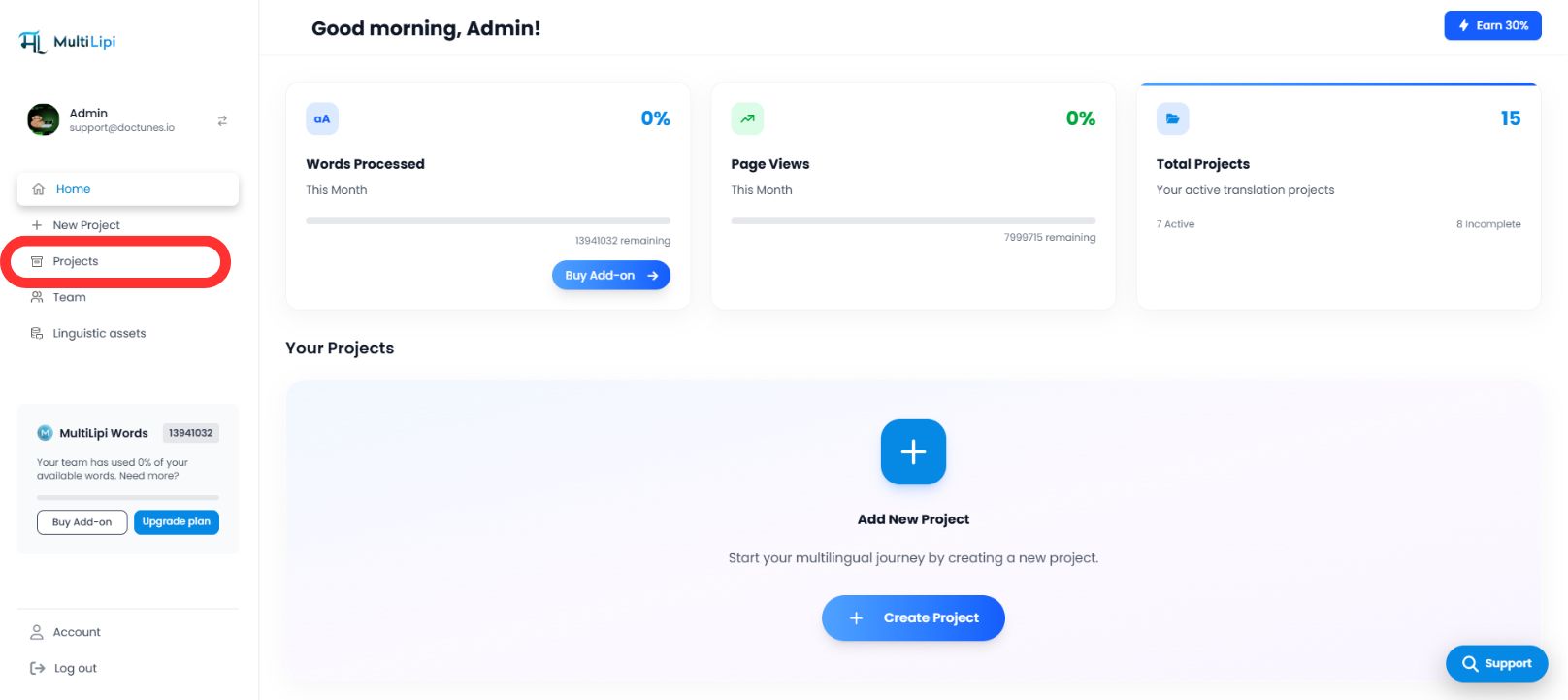
Vaihe 1: Pääsy projektin hallintapaneeliin
- •Log in to your MultiLipi dashboard.
- •Navigate to the left-hand sidebar and click on Projektit to view your active portfolio.
Step 2: Select Target Project
- •Locate the specific domain you wish to configure.
- •Klikkaa Project Tile to enter its specific management console.
Vaihe 3: Käyttöönottomääritysten käyttäminen
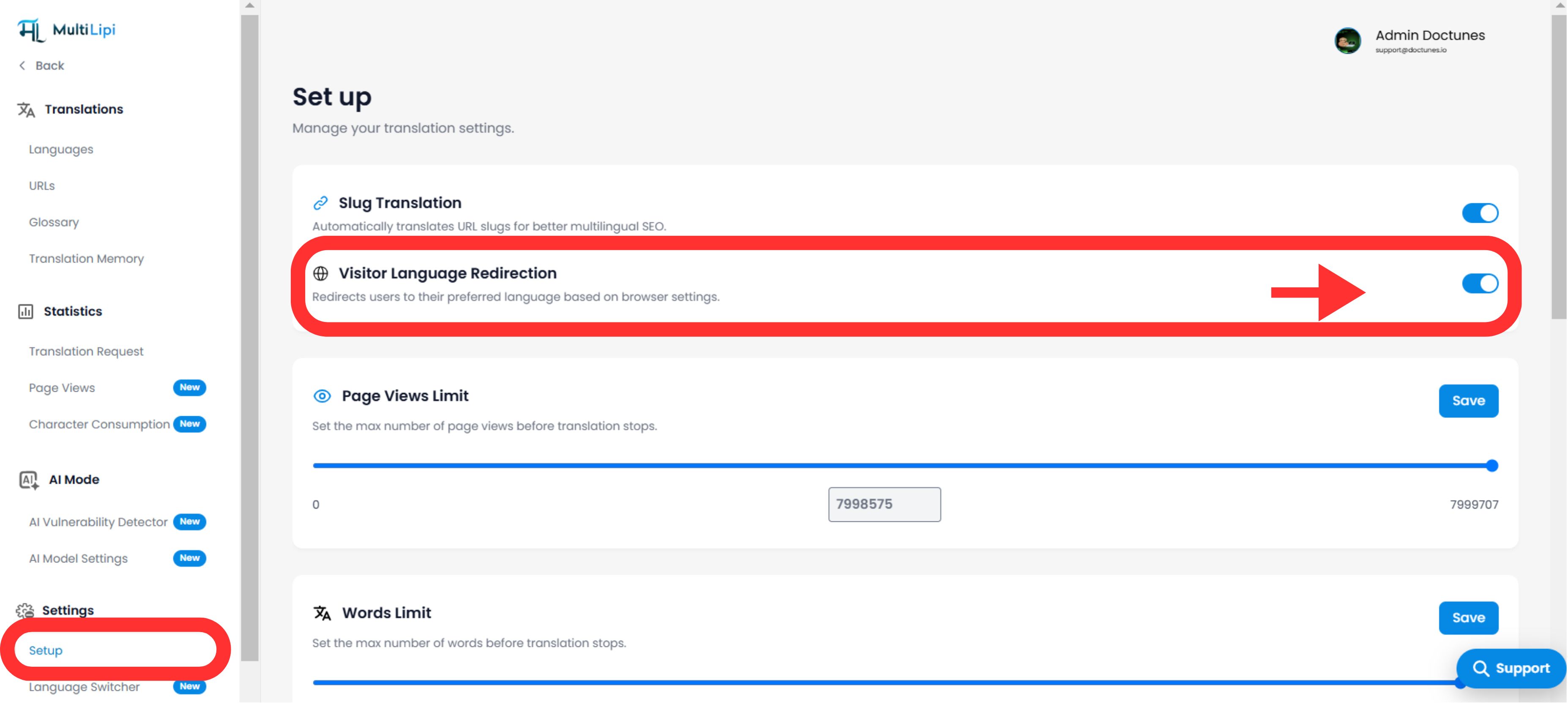
- •On the left sidebar of the project view, click on Ympäristöt .
- •From the dropdown or sub-menu, select Asennus .
Step 4: Activate Routing
- •Scroll down the setup panel until you find the "Visitor Language Redirector" option.
- •Toiminta: Kytke kytkin asenteeseen
PÄÄLLE. - •System Response: The routing engine is now active. New visitors will be automatically redirected based on their browser preference.
Configuration Complete – Routing Engine Active
3. Strategic Benefits
Why automate this process?
Bounce Rate Reduction:
Users are less likely to leave immediately if they see content in their native language within the first second.
Conversion Velocity:
Removing the "manual switch" step accelerates the user journey from landing to checkout.
Smart Fallback:
The system is non-intrusive; it only redirects if a matching translation exists, ensuring no user ever hits a dead end.
Ratkaiseva tekijä:
Automatic language redirection transforms your site from a passive translation portal into an intelligent localization engine that anticipates user needs before they even click.