
Kaikki verkkosivustosi pikselit eivät vaadi lokalisointia. Oikeudellisten vastuuvapauslausekkeiden on usein pysyttävä alkuperäisellä lainkäyttöalueellaan; koodipätkien on säilytettävä englanniksi; Ja ylläpitäjän reittejä ei koskaan pitäisi indeksoida.
MultiLipi tarjoaa Kolmitasoinen poissulkemisjärjestelmä —URL, Block ja Word—antaen sinulle kirurgisen tarkkuuden siitä, mitä tekoäly sivuuttaa.
Poissulkemisen kolme tasoa
Ennen sääntöjen määrittämistä ymmärrä, millä tasolla hallintaa tarvitset:
Sivutaso (URL-säännöt)
Toiminta: Se poistaa käännöksen kokonaan käytöstä koko sivulta tai hakemistolta.
Käyttötapaus: Hallintopaneelit ( /app/* ), käyttäjäasetuksia tai "laillisesti sitovia" englanninkielisiä käyttöehtoja.
Komponenttitaso (lohkosäännöt)
Toiminta: Jättää huomiotta sisällön tietyissä HTML-elementeissä (divs, spans) CSS-luokan perusteella.
Käyttötapaus: Koodilohkot ( <pre>), erisnimet otsikoissa tai monimutkaiset kolmannen osapuolen widgetit.
Termitaso (sanasäännöt)
Toiminta: Estää tiettyjen merkkijonojen vastaavuuksien käsittelyn.
Käyttötapaus: Tuotemallinumerot tai kääntämätön tekninen ammattislangi.
Hallintamoottorin käyttö
Määritelläksesi negatiivisen logiikkasi:
- Navigoi: Avaa MultiLipi Dashboard ja valitse aktiivinen projektisi.
- Sijaintiasetukset: Sivupalkissa selaa alas kohtaan Ympäristöt ja valita Käännöspoissulkemukset .
- Käyttöliittymä: Näet listan aktiivisista säännöistä, jotka on jaettu kategorioittain (URL-osoitteet, lohkot, sanat).
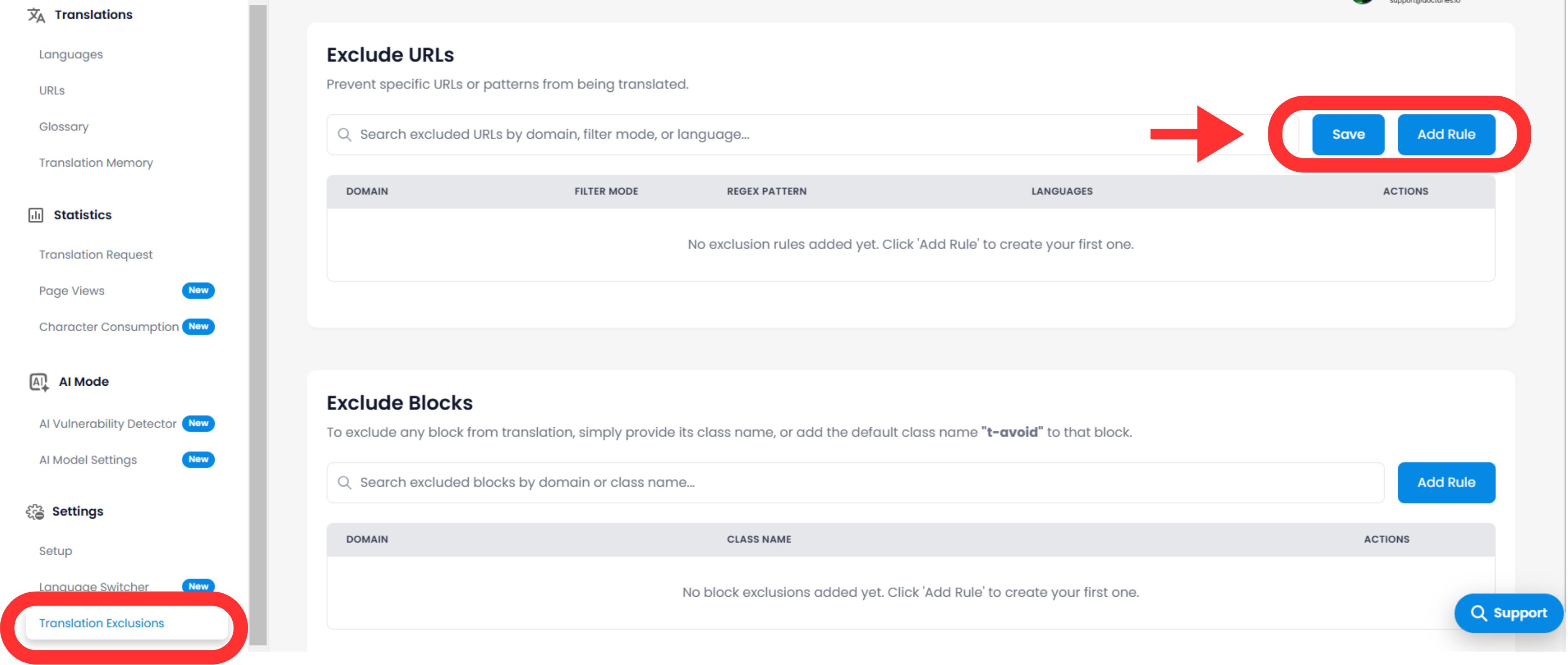
Logiikkasääntöjen konfigurointi
Klikkaa Lisää sääntö näppäintä määrittääkseen uuden rajoitteen.
A. Kaavan määrittely
Sinun täytyy kertoa moottorille, miten sisältö sovitetaan:
Sääntötyyppi:
- •Alkaa näin: Paras hakemistoihin (esim.
/blogi/poissulkee kaikki blogikirjoitukset). - •Päättyy: Paras tiedostotyypeille (esim.
.pdf). - •Sisältää: Jokerikorttivastaavuus mille tahansa URL-osoitteelle, joka sisältää tietyn merkkijonon.
- •Tarkka osuma: Kohdistuu yhteen tiettyyn sivuun.
Arvo:
Syötä polku, CSS-luokan nimi (ilman .), tai sana.
B. Laajuus ja käyttäytyminen
Kielet:
Sovella sääntöä globaalisti ( Kaikki kielet ) tai rajoittaa se tiettyihin paikkoihin (esim. Poissulje /hinnoittelu vain ranskaksi).
Kytkimen näkyvyys (kriittinen käyttökokemus)
Kytkin: "Piilota kielen vaihtaja"
Vaikutus: Jos suljet pois sivun (kuten kirjautumisnäytön), haluat todennäköisesti piilottaa kielenvaihtajan kyseiseltä sivulta, jotta käyttäjät eivät yritä vaihtaa kieltä eikä näe mitään tapahtuvan. Tämä kytkin automatisoi UX-puhdistuksen.
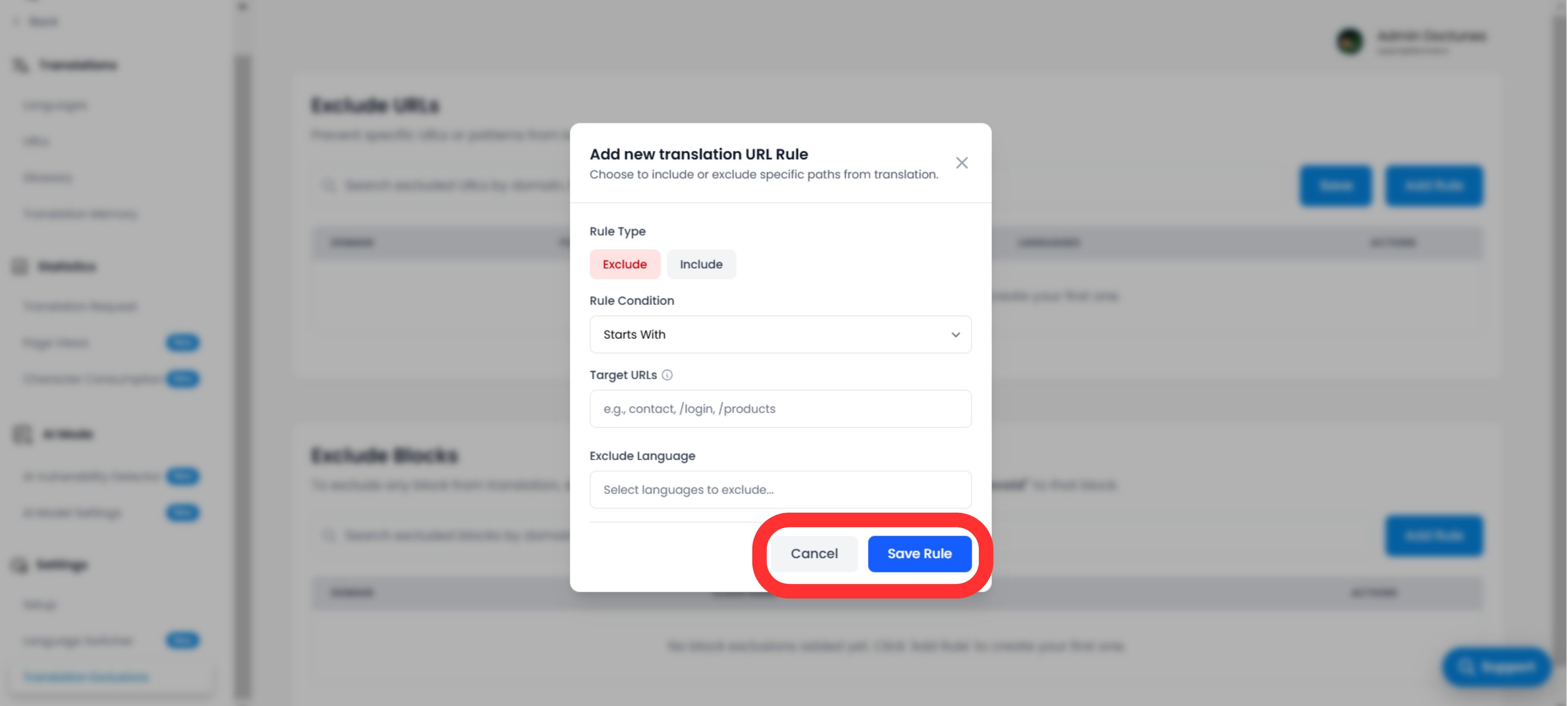
Suoritus ja varmennus
Kun klikkaat Tallennussääntö :
Välitön lisääntyminen
Sääntö siirretään välittömästi reunaverkkoon.
Välimuistin puhdistus
Tyhjennämme automaattisesti välimuistin kyseisille poluille varmistaaksemme, että "kääntämätön" versio tarjotaan välittömästi.
Strategiset käyttötapaukset
| Sääntötyyppi | Tilanne | Kokoonpano |
|---|---|---|
| URL-sääntö | Käyttäjän hallintapaneeli: Haluat, että julkinen sivusto käännetään, mutta kirjautunut sovellus ( /app/... ) pysyäkseen englanniksi. | Tyyppi: Alkaa Arvo: /app/ |
| Blokkisääntö | Koodikatkelmat: Pyörität kehittäjäblogia ja haluat tutoriaalitekstin käännettävän, mutta koodiesimerkkien täytyy pysyä pätevinä koodina. | Tyyppi: CSS-luokka Arvo: code-snippet |
| URL-sääntö | Alueellinen oikeudellinen: Käyttöehtosi ovat voimassa vain englanniksi. | Tyyppi: Täsmällinen osuma Arvo: /termit |