

Yritysten lokalisointi vaatii usein offline-työnkulkuja. Tarvitsetpa sitten 5 000 merkkijonoa lakitiimin tarkistettavaksi tai vanhan käännösmuistin siirtämistä toisesta järjestelmästä, MultiLipi tarjoaa täyden luku-/kirjoitusoikeuden kielitietoihisi.
Tämä opas kattaa protokollat Ulkoisen datan tuonti (Import) ja Käännösmuistin poimiminen (vienti).
Tietojen lataaminen (tuontiprotokolla)
Paras: Massapäivitykset, siirtyminen muista alustoista tai varmuuskopioiden palauttaminen.
Voit ylikirjoittaa tai päivittää live-käännösindeksisi lataamalla jäsennellyn tiedoston.
Vaihe 1: Käytä kielellistä kerrosta
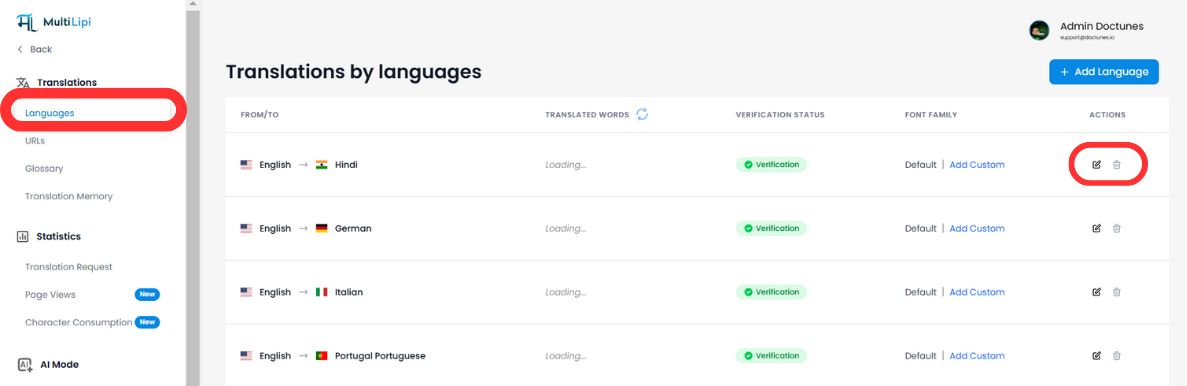
- Siirry MultiLipi-koontinäyttöösi.
- Valitse Käännökset > Kielet sivupalkista.
- Etsi tietty kielipari, jota haluat päivittää (esim. Englanti → Hindi).
- Napsauta Muokkaa kuvaketta (kynä) avataksesi kyseisen paikallisen käännösmuistin.
Vaihe 2: Aloita tuonti
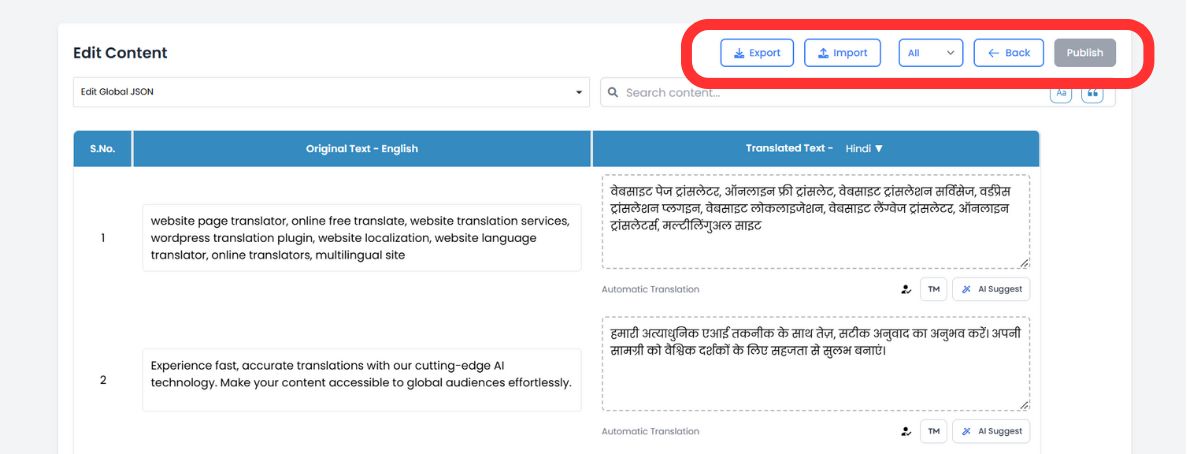
Napsauta editorin yläpalkissa Tuontikuvake.
Vaihe 3: Lataa ja määritä
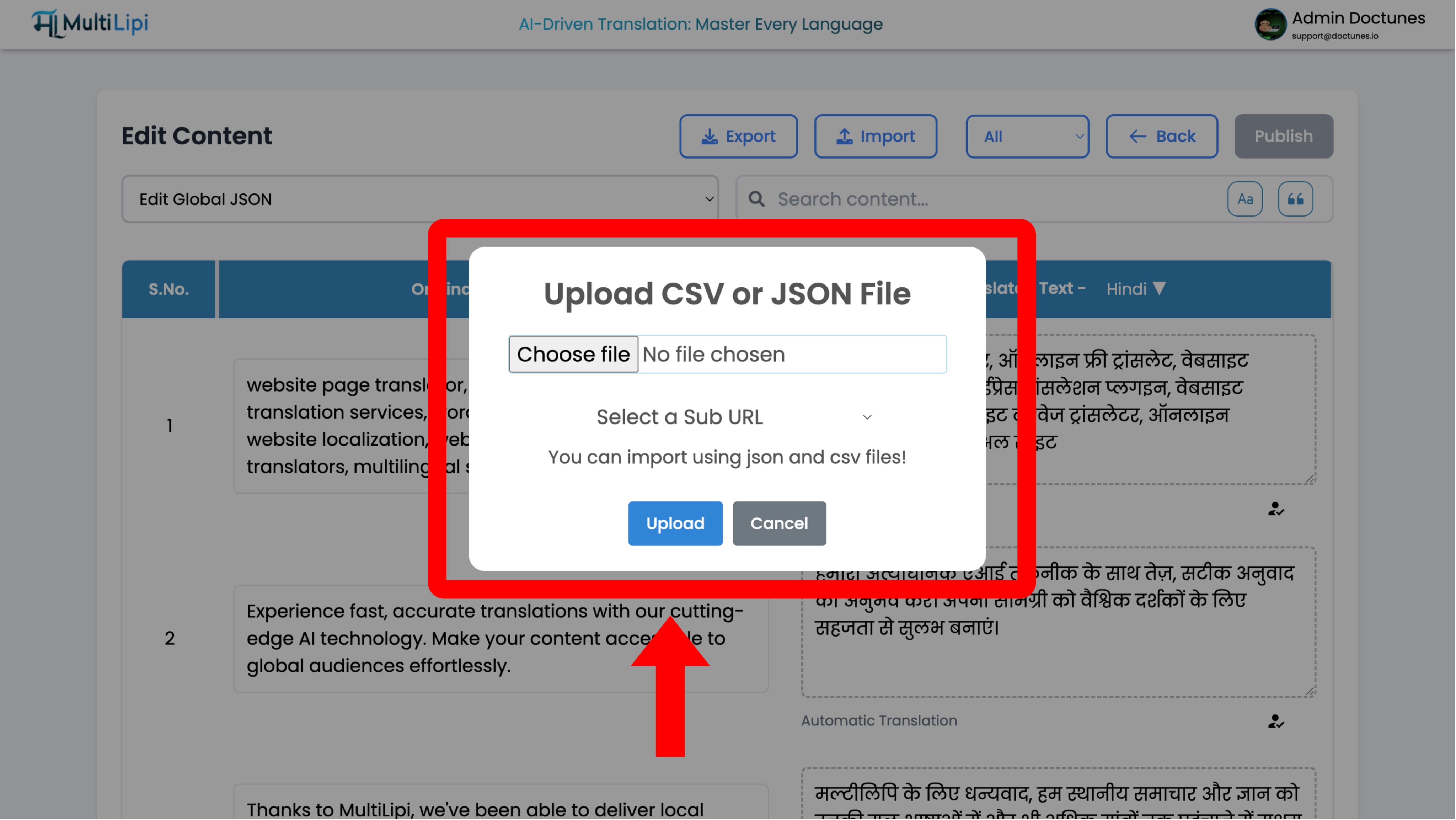
Määritysmodaalinen ikkuna avautuu:
Tiedoston valinta
Lataa omasi .csv or .json tiedosto.
Laajuuden määrittely
- •Globaali: Käytä näitä käännöksiä koko verkkotunnukseen.
- •Laajuus: Käytä "Al URL" -pudotusvalikkoa soveltaaksesi näitä käännöksiä vain tietylle sivulle (esim.
/pricing).
Toteuta
Napsauta Lataa.
Järjestelmän toiminto
Järjestelmä jäsentää tiedoston ja päivittää käännösmuistin välittömästi. Suorat muutokset leviävät reunverkkoon välittömästi.
Tietojen poimiminen (vientiprotokolla)
Paras: Offline-tarkastukset, ammattimainen ihmistarkastus ja vaatimustenmukaisuuden varmuuskopiot.
Omistat tietosi. Voit ladata koko käännösmuistisi milloin tahansa.
1. Avaa editori
Siirry samaan kielelliseen editoriin kuin edellä.
2. Suorita poiminta
Napsauta Vientikuvake (Tuonti)-painikkeen vieressä).
3. Muodon valinta
Valitse
.csv(taulukoille/Excel) tai.json(kehittäjille).4. Tulos
Järjestelmä luo jäsennellyn tiedoston, joka sisältää jokaisen lähdesäikeen ja sen nykyisen käännöksen.
Strategiset käyttötapaukset
| Toiminto | Skenaario |
|---|---|
| Offline-tarkastus | Vie "Oikeudelliset termit" -sivusi CSV-muotoon ja lähetä se lakiosastollesi tarkistettavaksi Excelissä. Tuo hyväksytty tiedosto takaisin. |
| Ammattimainen tarkastus | Vie automaattisesti käännetyt sisällöt, lähetä ne sertifioidulle ihmiskääntäjälle ja tuo heidän korjauksensa massana. |
| Varmuuskopiointistrategia | Suorita viikoittaisia vientiä ylläpitääksesi paikallista "kylmävarastoa" käännösomaisuudestasi. |