

Lokalisoi pysyvät linkit maksimaalisen orgaanisen näkyvyyden ja CTR:n saavuttamiseksi.
Sisällä Kansainvälinen SEO , URL-rakenteesi on ensimmäinen signaali, jonka käyttäjä näkee hakutuloksissa. Jos sisältösi on espanjaksi, mutta URL-osoitteesi pysyy englanniksi (esim. /es/hinnoittelu ), luot "kielen epäsopivuuden", joka laskee luottamusta ja klikkausnopeutta (CTR).
MultiLipi's Slug Translation Engine poistaa tämän kitkan. Se kääntää automaattisesti URL-polkusegmentit (slugit) kohdekielelle varmistaen, että reititysarkkitehtuurisi vastaa sisältöäsi.
- Englanti:
example.com/pricing - Espanja:
example.com/es/precios - Saksa:
example.com/de/preise
1. SEO-etu
Miksi lokalisoida reitityskerros?
Avainsanojen relevanssi
Hakukoneet korostavat avainsanoja URL-osoitteessa. Slugin kääntäminen laittaa kohdeavainsanasi (esim. "precios") suoraan linkkiin, mikä nostaa paikallisten kyselyiden sijoitusta.
Kognitiivinen sujuvuus
Täysin lokalisoitu URL tuntuu natiivilta. Se viestii käyttäjälle, "Tämä sivu on itse asiassa minulle," sen sijaan, että "Tämä on vain automaattisesti käännetty kopio."
Rakenteen johdonmukaisuus
Se sovittaa leivänmurusi ja sivuston arkkitehtuurin, luoden loogisen hierarkian crawlereille.
2. Konfiguraatioprotokolla
Aktivoin reititysmoottorin.
Automaattisen polun kääntämisen ottamiseksi käyttöön seuraa näitä ohjeita komentokeskuksessasi:
Access-projektin konteksti
- Kirjaudu sisään MultiLipi Dashboard .
- Siirry kohtaan Projektit vasemmassa sivupalkissa nähdäksesi aktiiviset integraatiosi.
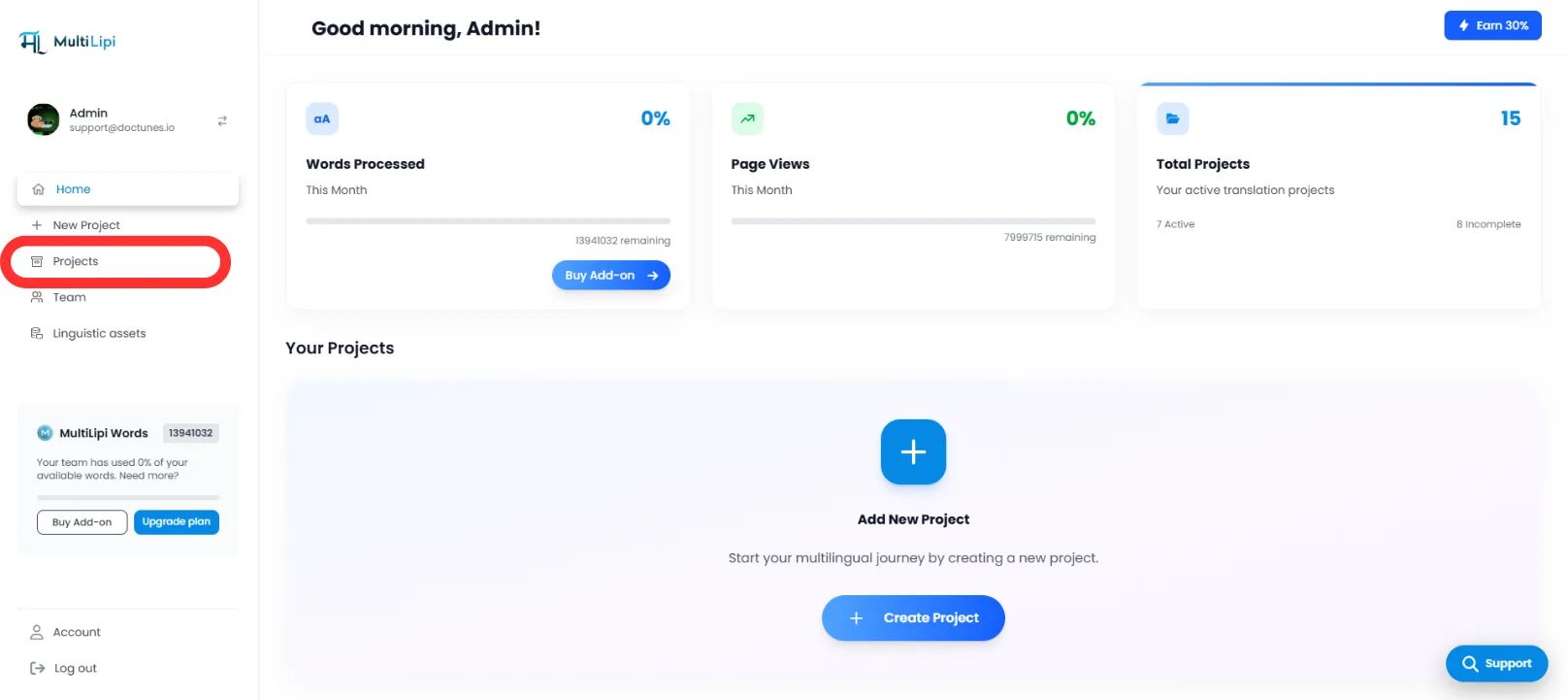
Valitse kohdearkkitehtuuri
- Etsi juuri se projekti/verkkosivusto, jonka haluat konfiguroida.
- Klikkaa Toivottu projektivälilehti Syöttääkseen sen asetukset.
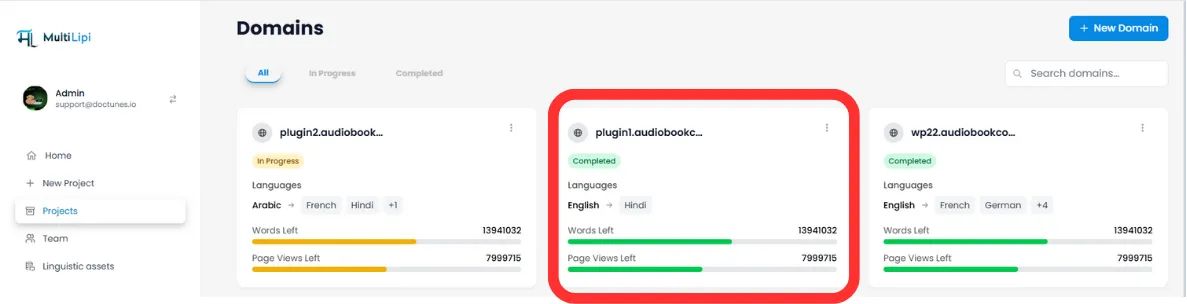
Pääsyn järjestelmä
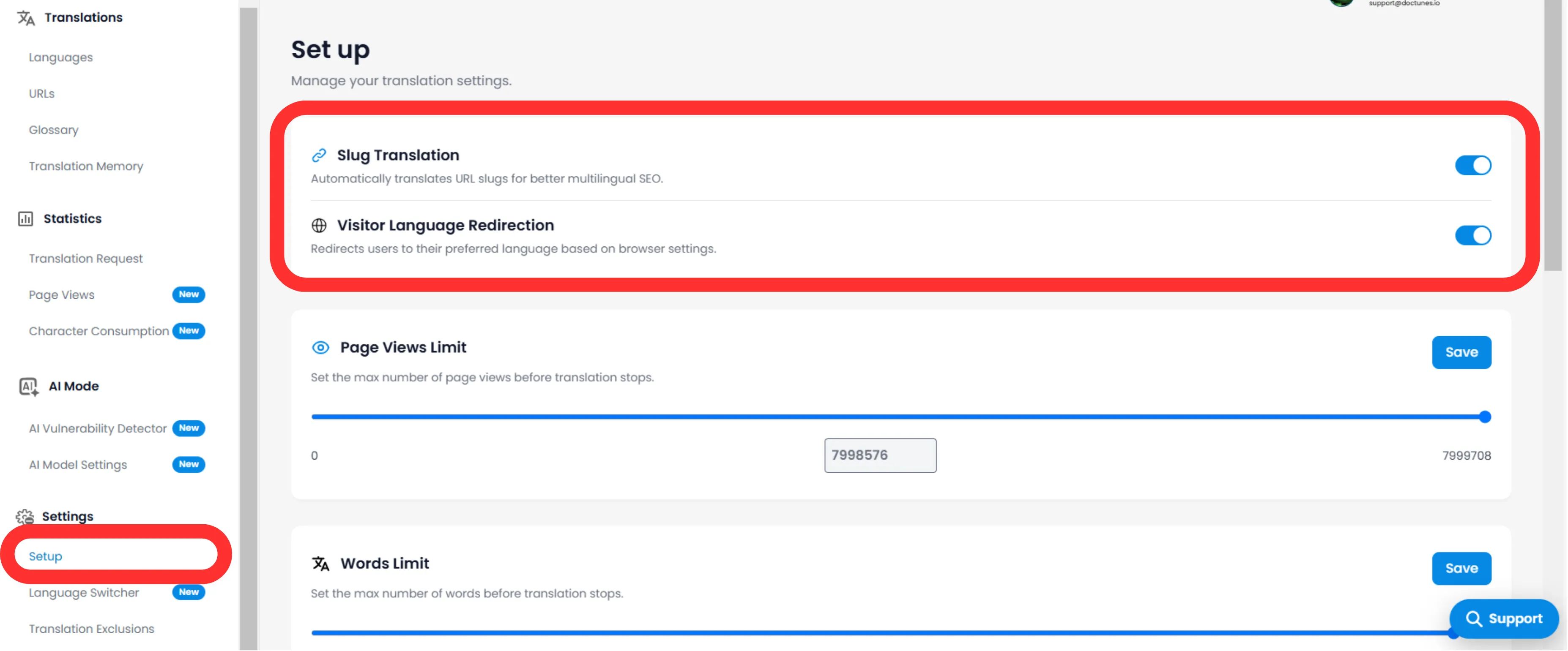
- Projektin alivalikossa (vasemmalla puolella) klikkaa Ympäristöt .
- Select Asennus .
Kytkin Slug-moottori
- Selaa kohti Slug-käännös Osasto.
- Toiminta: Vaihda kytkin asenteeseen ON (Sininen) .
- Järjestelmän toiminta: Moottori sieppaa nyt URL-pyynnöt ja palvelee paikallista slugia kaikille kohdekielille.
3. Tekninen käyttäytyminen
Miten se käsittelee uudelleenohjauksia.
Kun se on käytössä, järjestelmä hallitsee kartoituksen automaattisesti.
301 Uudelleenohjaukset
Jos käyttäjä (tai botti) yrittää päästä käsiksi vanhaan, kääntämättömään URL-osoitteeseen ( /es/hinnoittelu ), MultiLipi ohjaa heidät automaattisesti 301 uuteen optimoituun URL-osoitteeseen ( /es/precios ). Tämä säilyttää linkkipääomasi (SEO-neste).
Sivustokartan injektio
XML-sivukarttasi päivittyvät automaattisesti listaamaan nämä uudet, paikalliset URL-osoitteet, joita Googlebot voi indeksoida.
🌐 Automaattinen URL-osoitteiden lokalisointi: Kääntämällä URL-slugit luot saumattoman kansainvälisen kokemuksen, joka parantaa sekä SEO-sijoituksia että käyttäjien luottamusta kaikilla kohdemarkkinoilla.