How to Automatically Redirect Visitors to Their Preferred Language Version
 MultiLipi
•
19. kesäkuuta 2025
•
10 minuuttia luettavaa
MultiLipi
•
19. kesäkuuta 2025
•
10 minuuttia luettavaa
Introduction
For global audiences, delivering content in their native language boosts engagement and conversions. MultiLipi offers a powerful “Visitor Language Redirector” feature that detects a user's browser language and automatically redirects them to the appropriate translated version of your website. Here’s how to activate it.
Step-by-Step Guide
Step 1: Access Your Project Dashboard
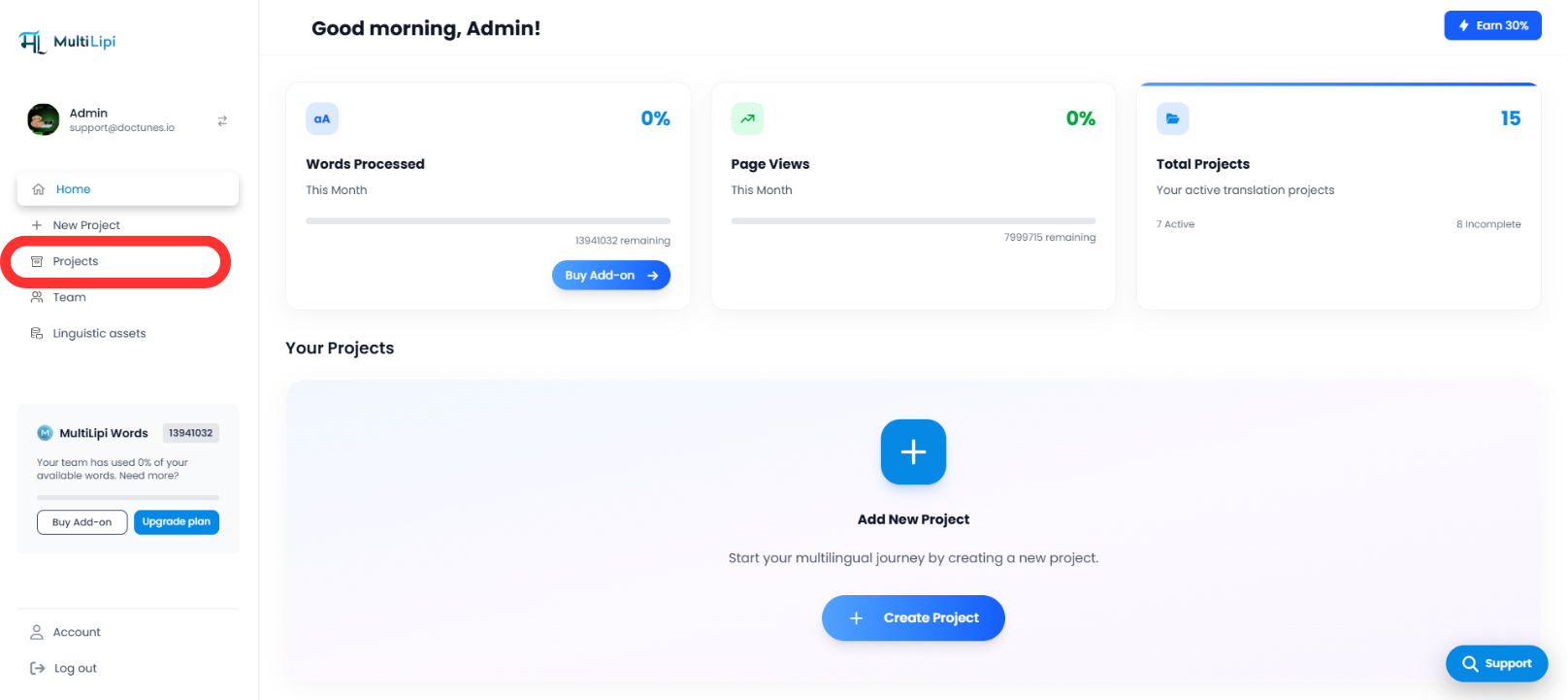
Log in to your MultiLipi dashboard and navigate to the left-hand sidebar.
Klikkaa Projektit to view all existing projects.
Step 2: Select the Project You Want to Configure
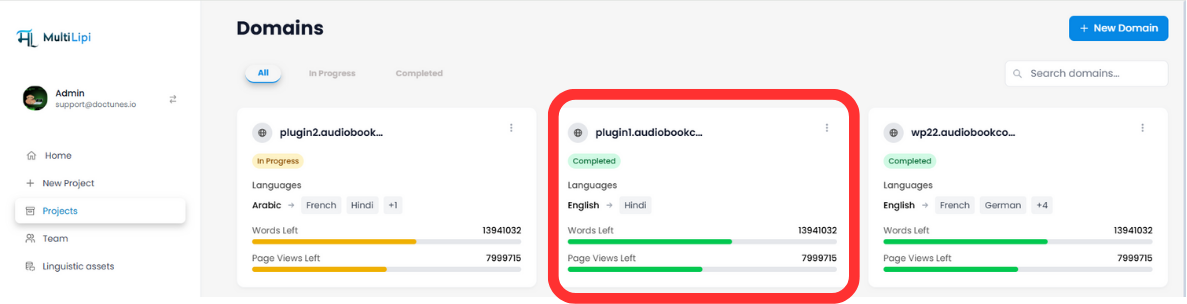
Find the domain you want to enable redirection for and click the Project Tile beside it.
<br>
Step 3: Open Setup from Settings
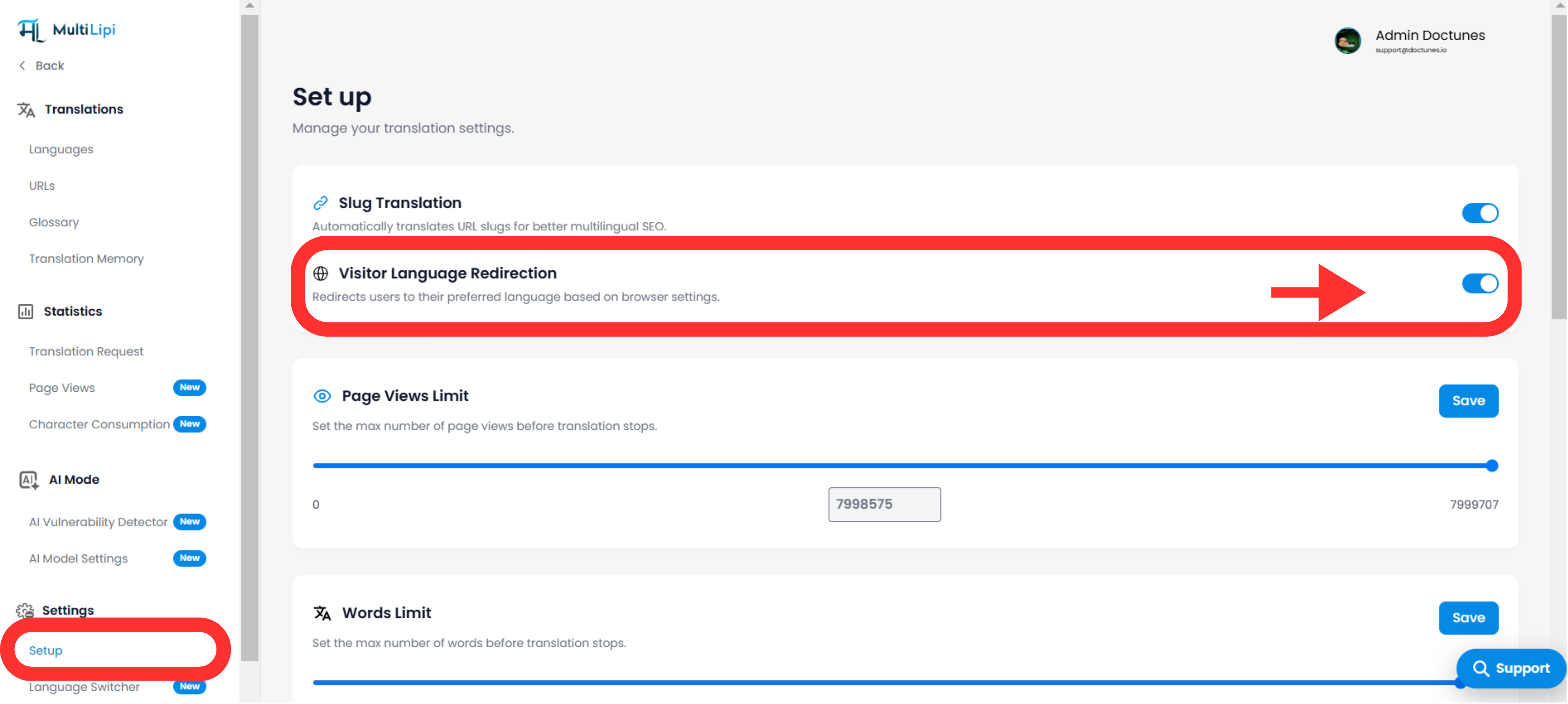
On the left sidebar of the project settings page, go to Settings and select Asennus .
Step 4: Enable “Visitor Language Redirector”
Scroll to the “Visitor Language Redirector” option and toggle it PÄÄLLE . This will enable automatic redirection based on the browser's preferred language.
Benefits of Language-Based Redirection
-
🌍 Enhanced User Experience
Visitors land directly on a version they understand, reducing bounce rates. -
⚙️ SEO-Optimized Navigation
Improves your site’s multilingual SEO by showing relevant content in search results. -
🚀 Faster Localization Onboarding
Automatically guides users to the right version without manual clicks.
For further customization or troubleshooting, feel free to reach out to our support team at support@multilipi.com.
Kommentit