How to Bulk Edit Translated URL Slugs in MultiLipi
 MultiLipi
•
28. lokakuuta 2025
•
5 min lukukokemus
MultiLipi
•
28. lokakuuta 2025
•
5 min lukukokemus
Managing multilingual SEO often means updating hundreds of URL slugs across different languages. With MultiLipi’s new Bulk Slug Edit feature, you can now find and replace multiple translated slugs in seconds — directly from your dashboard.
Here’s a step-by-step walkthrough to help you make the most of this time-saving feature.
Where to Find It
Navigate through the dashboard:
Dashboard → Project → Translations → URLs
This section lists all your translated sub-URLs, their modes (like sub-domain), and allows individual or bulk editing of slugs.
Step-by-Step: Bulk Edit Slugs
- Select URLs to Edit:
- Check the boxes beside the URLs you want to update.
- You can choose one or multiple pages across your project.
- Click Bulk Edit:
- Once selected, click the "Bulk Edit" button on the top-right.
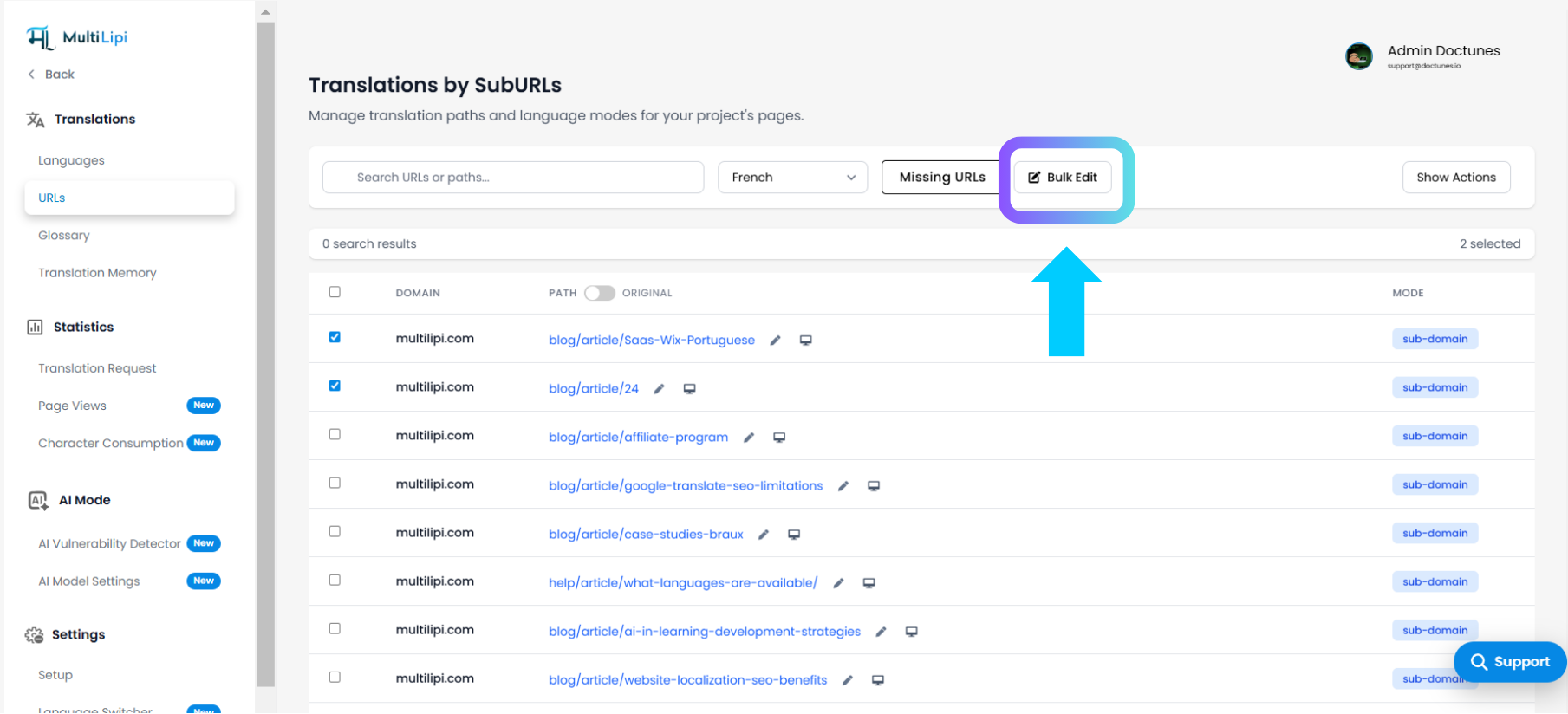
- Once selected, click the "Bulk Edit" button on the top-right.
- Use Find & Replace:
- In the modal window that appears:
- Enter the text you want to find (e.g., article)
- Enter the replacement text (e.g., articles)
- In the modal window that appears:
- Choose Scope:
- hoose whether the replacement should apply to:
- Only selected items (e.g., 2 out of 677), or
- All items in your list
- hoose whether the replacement should apply to:
- Click Replace:
- Hit the Replace button to apply the changes.
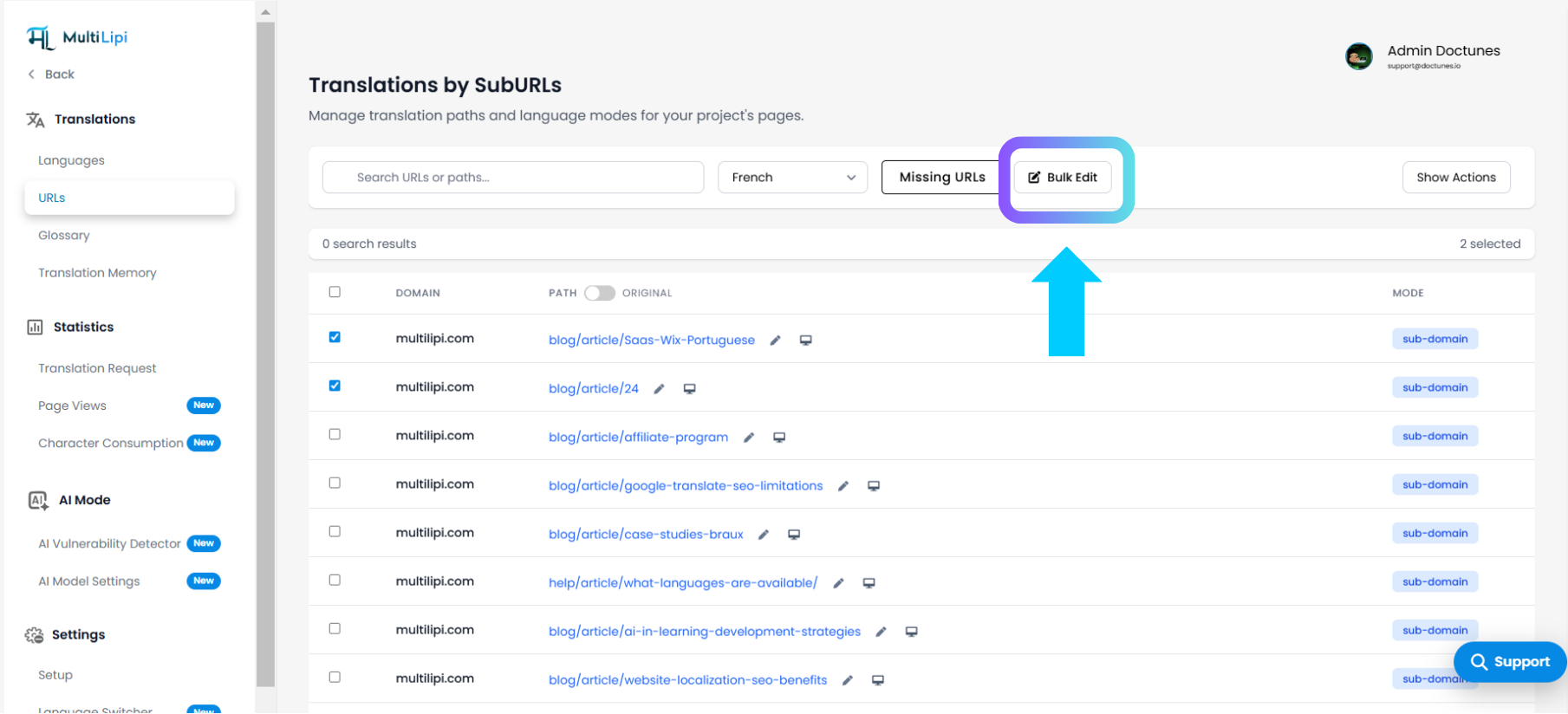
- Hit the Replace button to apply the changes.
- Done!
- Your selected slugs are updated instantly.
- You’ll see the new URL slugs reflected in the list.
Why Use Bulk Slug Editing?
- ✅ Saves time when fixing slug inconsistencies
- ✅ Supports multilingual SEO by keeping slugs optimized in each language
- ✅ Great for programmatic SEO updates across hundreds of translated pages
Pro Tip:
Make sure your translated slugs follow SEO best practices — short, readable, and keyword-optimized. You can also use the AI SEO Suggestion Tool in MultiLipi to auto-generate slug recommendations per language.
What’s Next?
Once your slugs are updated:
- Recheck your sitemap
- Regenerate it if needed
- Submit updated URLs to Google Search Console for faster indexing
By using MultiLipi's Bulk Find & Replace, you're not just editing URLs — you're scaling your multilingual SEO efforts with precision.
Ready to speed up your global SEO management?
➡️ Log in to your MultiLipi dashboard and start bulk editing slugs now.
Kommentit