Translate WordPress Slugs Using MultiLipi Plugin
 MultiLipi
•
28. lokakuuta 2025
•
5 min lukukokemus
MultiLipi
•
28. lokakuuta 2025
•
5 min lukukokemus
If you're using WordPress and want to customize your URL slugs for different languages, MultiLipi makes it incredibly easy through a dedicated interface inside the WordPress admin panel. This ensures SEO-friendly, user-specific slugs across languages while maintaining full control.
What Are Slugs?
Slugs are the part of a URL that identifies a particular page in a readable format — for example, /about-us/. Translating slugs into the visitor's native language improves readability, SEO ranking, and localization experience.
Steps to Add/Translate Slugs in WordPress
-
Login to WordPress Admin Panel
Navigate to your WordPress Dashboard (/wp-admin) and ensure that the MultiLipi plugin is installed and active.
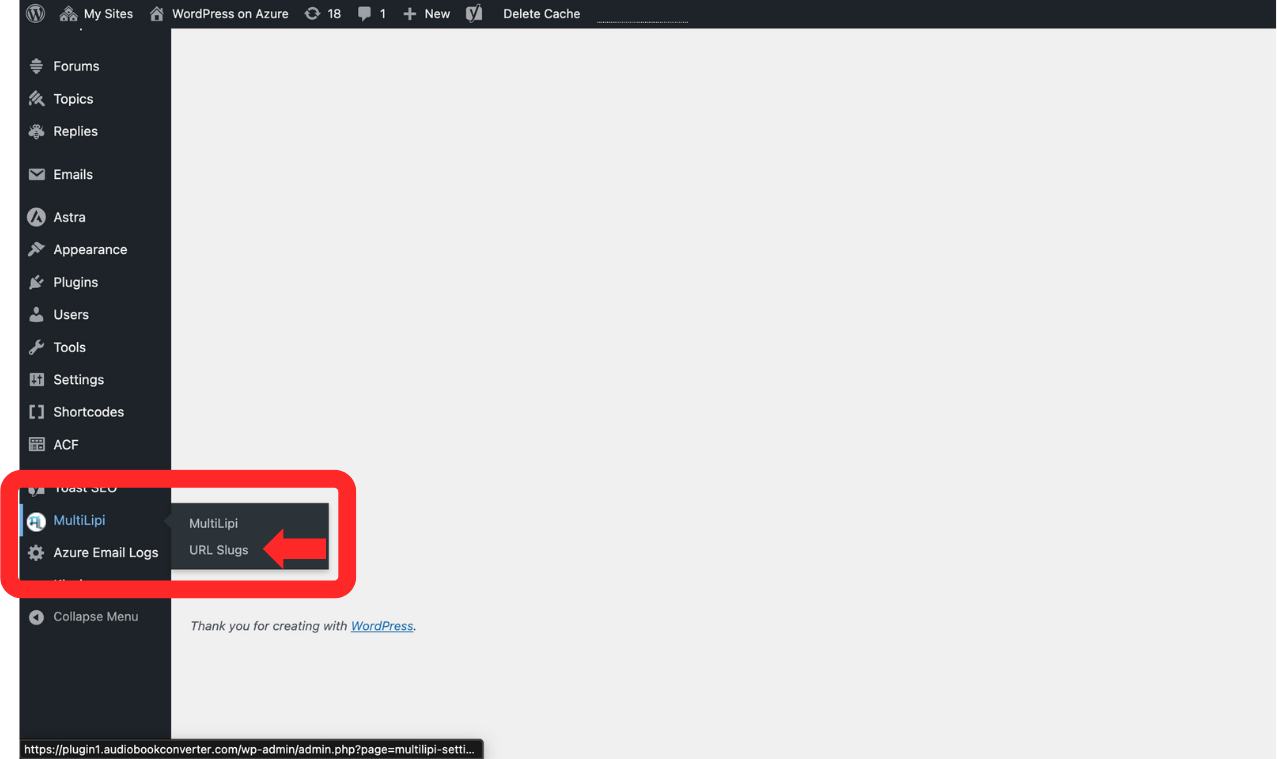
- Go to MultiLipi > URL Slugs
From the sidebar, click on MultiLipi and then select URL Slugs. This will take you to the MultiLipi URL Slug Manager screen.
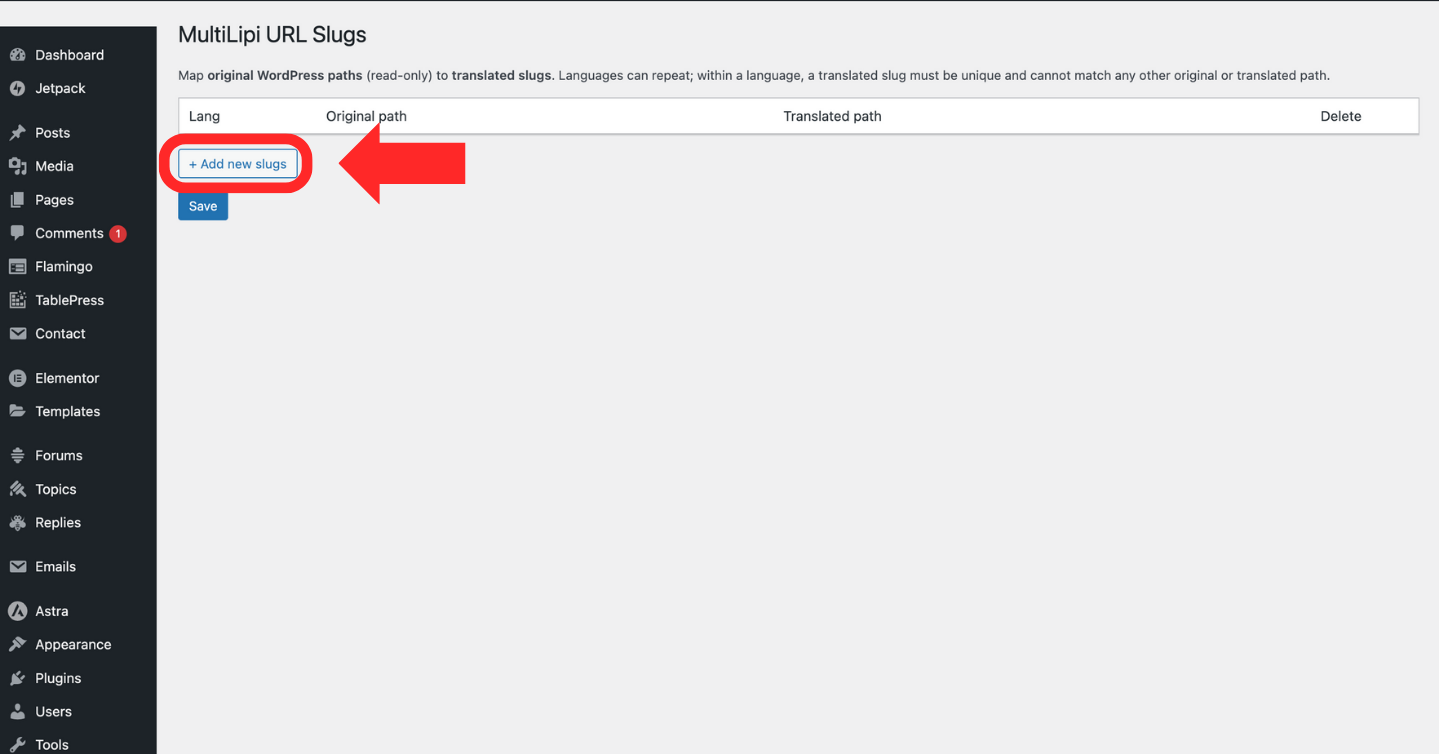
- Click “+ Add new slugs”
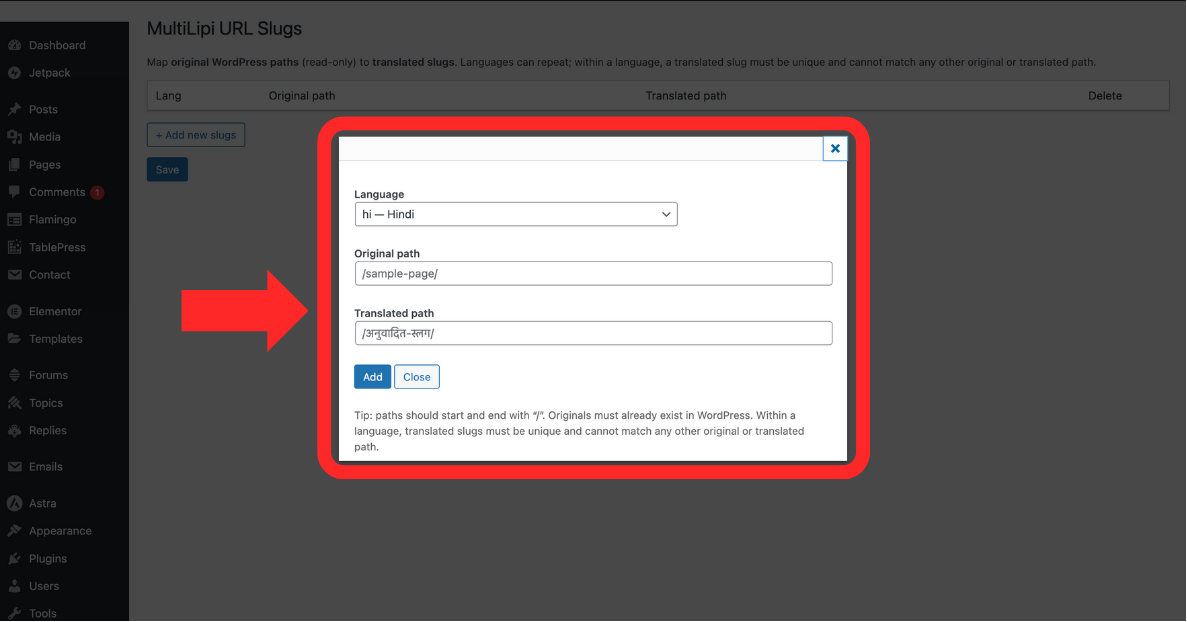
A new row will appear allowing you to input:- Language (e.g., hi — Hindi)
- Original Path (e.g., /sample-page/) — must exist on your WordPress site.
- Translated Path (e.g., /अनुवादित-पृष्ठ/) — your custom slug in the selected language.
- Save the Slug Mapping
Once added, click Save to apply the mapping. The translation will now serve with the updated path for users browsing in the selected language.
Things to Keep in Mind
-
The original path must already exist and be valid on your WordPress site.
-
Each translated path must start and end with a / and be unique within the selected language.
-
Translated slugs must not match any existing original or translated paths for other entries
Kommentit