MultiLipi – Webflow Integration Guide
 MultiLipi
•
19. kesäkuuta 2025
•
10 minuuttia luettavaa
MultiLipi
•
19. kesäkuuta 2025
•
10 minuuttia luettavaa
Want to make your Webflow site multilingual in minutes? With MultiLipi, you can add AI-powered translations, SEO-ready URLs, and a customizable language switcher — all without writing a single line of backend code.
Let’s walk you through setting it up!
Step 1: Open Your Webflow Dashboard
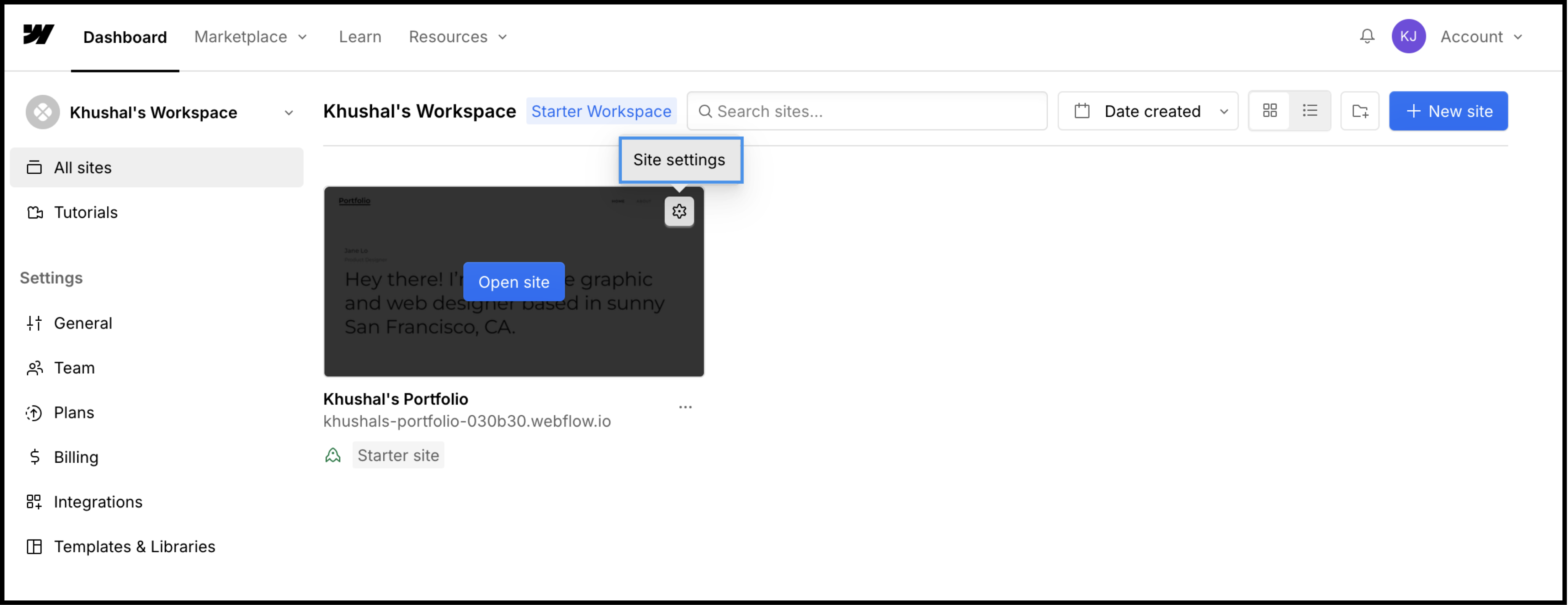
Log into your Webflow Dashboard and find your project.
From your project card, click the gear icon ⚙️ and choose Site Settings.
Step 2: Add & Save Your MultiLipi Script
-
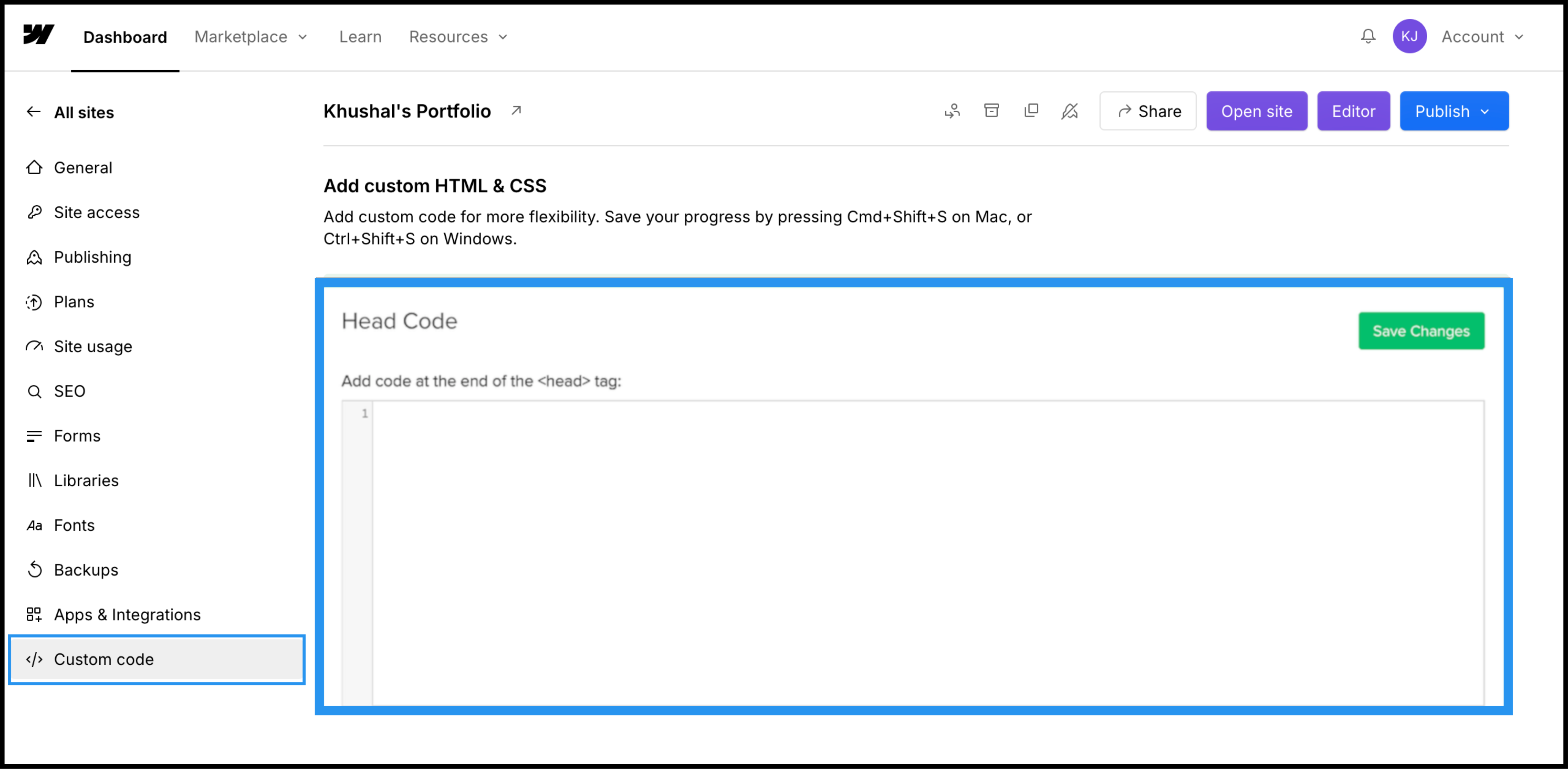
Inside Site Settings, navigate to the Custom Code tab (left-hand panel).
- Scroll down to the Head Code section.
Paste the following MultiLipi script:
<script src="https://multilipistorage.blob.core.windows.net/static/js/page_translations.js" key="YOUR_API_KEY_HERE"></script>
✅ Replace YOUR_API_KEY_HERE with your actual API key from the MultiLipi Dashboard.
- Click Save Changes (green button) on the top right.
Note: Webflow requires a paid plan to enable custom code injection and publish it to a connected domain.
Step 3: Publish Your Website & Verify Integration
After saving the script:
- Click the blue Julkaise button.
- Visit your live website.
- You should now see the language switcher appear on the bottom-left corner of your site.
Try switching between languages — your content should translate automatically.
What’s Next?
Translation Customization
Visit your MultiLipi dashboard to:
- Edit translated text manually
- Add glossary rules
- Exclude specific elements
- Enable SEO settings like meta tag translation & hreflang generation
Optimize SEO
MultiLipi handles multilingual SEO — auto-generating translated metadata and ensuring each language page is search engine–friendly.
Language Switcher Styling (Optional)
Contact our support for styling the switcher to better match your brand or repositioning the widget.
Troubleshooting & Support
-
Not seeing the switcher? Make sure your domain is live and you're using a paid Webflow plan.
-
Double-check the script placement — it must be inside the <head> section.
- Clear your browser cache or preview in incognito.
Still need help? We’ve got your back.
📬 Email us at support@multilipi.com
That’s It! You’re Live in 120+ Languages
Your Webflow site is now ready for a global audience. With AI-powered accuracy, multilingual SEO, and full customization, MultiLipi gives you everything you need to scale across borders.
👉 Want to integrate MultiLipi with other platforms too?
Explore more integration guides here →
Let me know if you'd like downloadable PDF docs, collapsible FAQs, or embed video tutorials added to this guide!
Kommentit